← Cases · A market video lesson
Video lesson
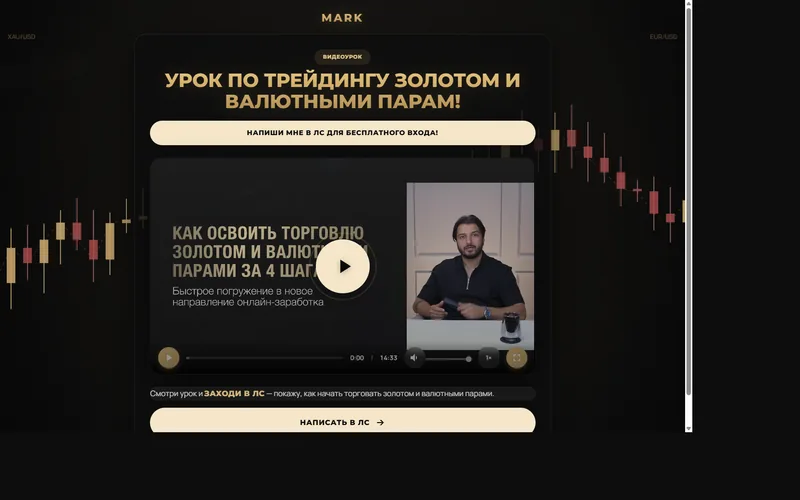
A lesson video landing: player, watch tracking, and an admin that shows which link people came from
Who it was for
Experts who send people from ads and Telegram to one lesson and want to know if they actually watched
Value
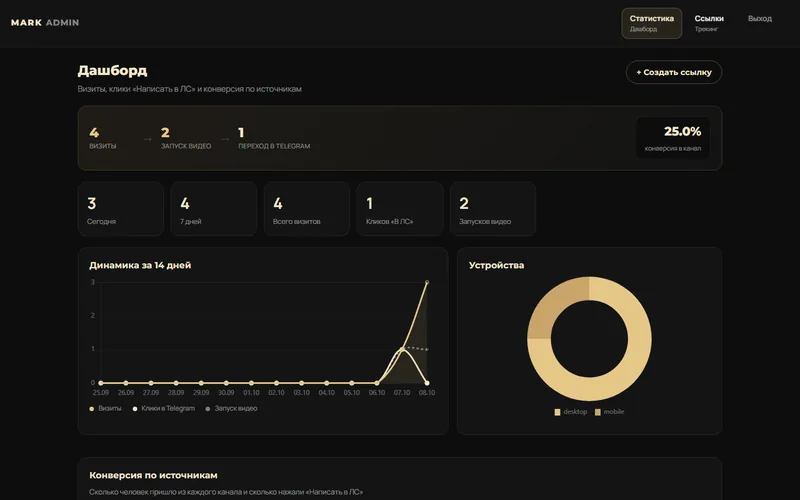
One page with a player. Each /go/slug link tags the visit, and the admin shows the source, video start, and the button click.
Interface
Pain
The video was a file. Clicks from different posts collapsed into one number. You could not tell which channel finished the lesson and hit the contact button.
Goal
A video landing with its own stats and short links, without a website-builder account.
Path
- The home page is an HLS player and a Telegram button
- A visit stores device, source, and depth
- Events: video start and CTA click
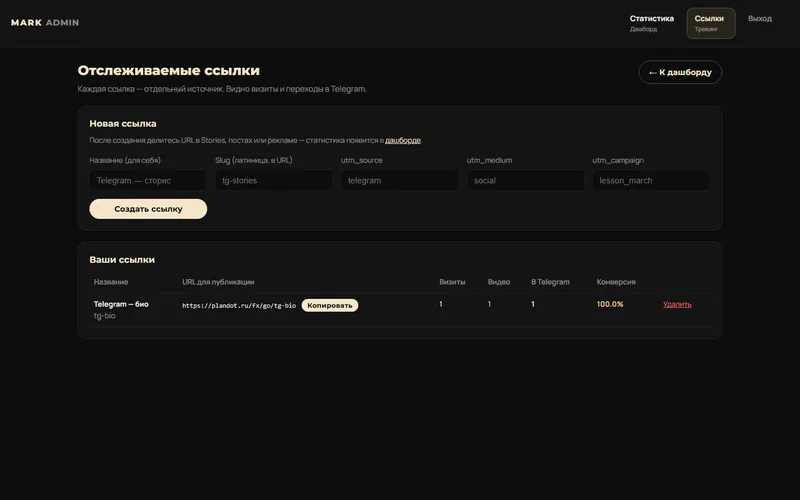
- Admin: summary, chart, and a /go/slug link builder
What’s inside
- Lesson player
- Visit and event tracking
- Short links
- Today and week summary
Result
A post link shows more than a click: it shows whether the lesson was started. The demo already has sample visits and a tg-bio link.
How to use it
- Open the home page and start the lesson. The player cuts the video into short segments so it is easier on a phone.
- The button under the video goes to Telegram. The click and the video start land in the stats.
- Try the short link https://plandot.ru/fx/go/tg-bio — it returns to the lesson already tagged.
- In the admin, read today and week, the source table, and the links section, where you can add your own slug.
Where to sign in
- Site: https://plandot.ru/fx/
- Admin: https://plandot.ru/fx/admin/
- Login: mark
- Password: MarkTradeFx2026
- Look at visit counts, video starts, clicks, and the tracking links. Sample visits are already in the database.
Why this case is telling
This case is about measuring a video, not about another generic landing. The player and the stats live together. The admin is behind a password.
More modules from this loop

China intensive
A 7-day China admissions intensive: application, checkout, video, and an admin with section stats

Vibecoding platform
An intensive landing, a student cabinet, courses, a live room, a diagnostic, and an admin with bots

Course announcement
A one-page course announcement: program, plans, and a signup. No cabinet — just the storefront